Best Interactive Whiteboards for Teaching and Classrooms
The following selection highlights top interactive boards and related learning aids that support engaging lessons, collaborative activities, and smooth presentations in classrooms, homes, and offices. Each option offers touch input, annotation tools, and connectivity to adapt to different teaching styles and group sizes.
| Product | Brand | Key Benefit |
|---|---|---|
| RAIZEA Smart Board 55″ | RAIZEA | 4K UHD display with 20-point touch and Android 11 for all-in-one teaching |
| Imitation Book: Learn To Talk | Twin Cities Speech Therapy Publishing | Language development support for early learners |
| JYXCN 49″ Digital Interactive Smart Board | JYXCN | Android OS, multi-user editing, wireless sharing |
| NEWORK 55″ 4K Smart Board | NEWORK | Google EDLA-certified, Android 14, 50-point touch |
| COOLHOOD 65″ Smart Board | COOLHOOD | 4K display, 20-point touch, collaborative tools |
RAIZEA 55″ Smart Board Overview

The RAIZEA Smart Board pairs a 55-inch 4K UHD display with a responsive touch experience, ideal for classrooms and home offices. Built on Android 11 with Cortex-A55 quad-core processing and 4 GB RAM, the device supports up to 20 touch points, making it suitable for collaborative activities, group annotation, and interactive lessons. Its all-in-one design acts as a whiteboard, computer, and projector substitute, simplifying setup in various teaching environments.
Key features include quick write responsiveness with 2mm accuracy and an 8ms input lag, enabling natural writing with pens or fingers. The device supports both wireless and wired connections, including WiFi 6 and multiple ports (HDMI, USB, USB-C, VGA, audio), ensuring compatibility with smartphones, laptops, and tablets. QR code export helps capture and share notes quickly during instruction.
Imitation Book: Learn to Talk

This interactive book focuses on early language development for toddlers and early learners. Written by a speech therapist, it emphasizes speech growth and communication skills through engaging activities. While not a digital interactive board, it complements screen-based instruction by providing hands-on practice and language-building opportunities in a concrete, approachable format for caregivers and educators working with young children.
JYXCN 49″ Digital Interactive Smart Board
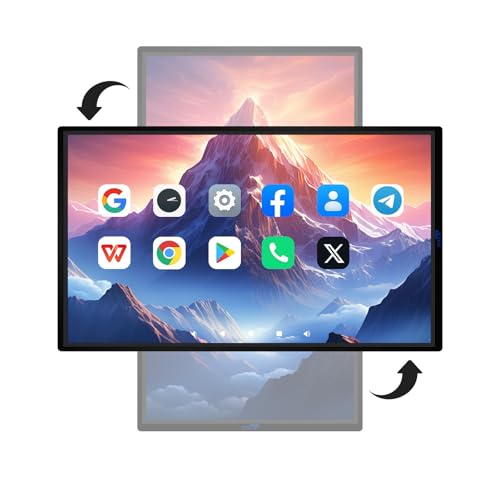
The JYXCN 49-inch interactive board runs on Android OS (Android 12) with 8 GB RAM and 64 GB storage, supporting 5G Wi-Fi connectivity and screen mirroring. Its horizontal and vertical viewing options make it suitable for classroom or office layouts. Features include presentation and annotation tools, live streaming capabilities, and multi-user editing with sharing across devices. Wireless sharing via QR code streamlines content distribution for collaborative sessions.
NEWORK 55″ 4K Smart Board
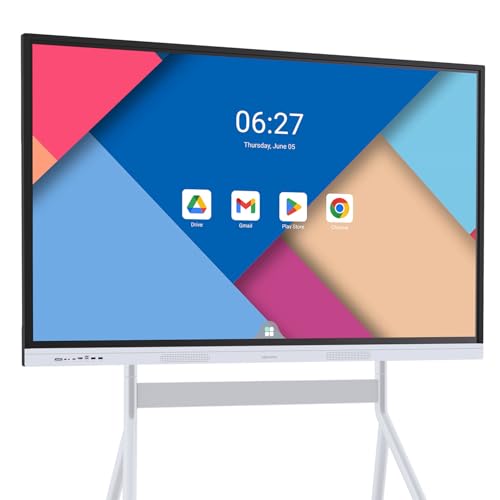
The NEWORK 55-inch smart board runs Android 14 with 8 GB RAM and 64 GB ROM, delivering smooth multitasking in teaching or business contexts. The 4K UHD display offers wide viewing angles (178°) and strong color coverage (81% NTSC), ensuring content remains vivid for larger groups. Google EDLA certification provides access to Google Play and Workspace, supporting a broad app ecosystem and enterprise-grade privacy features while enabling wireless casting and multi-device collaboration.
COOLHOOD 65″ Smart Board

The COOLHOOD 65-inch 4K interactive whiteboard provides robust performance with an octa-core processor and 20-point multi-touch. It runs Android 13 and ships with 128 GB of storage for large data handling, downloads, and teaching apps. It supports wireless screen sharing across devices and platforms, built-in tools for voting, screenshots, and timing. A wall mount is included; a floor stand can be purchased separately to adapt to different room configurations, enhancing classroom flexibility and collaboration.
Buying Guide
When choosing an interactive board for teaching, consider the following factors to align with classroom goals and budget:
- Display size and resolution: Larger screens improve visibility in bigger classrooms, while 4K resolution provides sharp text and images for details like diagrams and charts.
- Touch capability and latency: A higher touch-point count and low latency support smoother collaborative activities and accurate handwriting.
- Operating system and app ecosystem: Android and Google-certified boards offer access to a wide range of education apps and cloud tools; consider compatibility with existing devices.
- Connectivity and sharing: Evaluate wireless casting, screen sharing, QR code export, and multi-device collaboration features to streamline lesson delivery.
- Storage and performance: Sufficient RAM and ROM ensure multitasking with interactive apps, video, and large documents without slowdowns.
- Accessory options: Availability of mounts, stands, and wall-mount configurations affects installation flexibility and room layout.
- Security and updates: Look for EDLA or similar certifications, regular OTA updates, and privacy protections to safeguard school networks.
Depth considerations include choosing a model that suits your classroom size, instructional style, and IT support capabilities. For hybrid or remote learning, prioritize devices with reliable wireless connectivity and smooth screen-sharing. For hands-on activities, models with 20-point touch and quick pen-to-paper feel can enhance engagement and reduce latency during lesson activities. Finally, evaluate total cost of ownership, including installation, maintenance, and potential accessories, to determine long-term value for education settings.